Got an Income Tax Notice? Your Simple Guide to Fixing Mistakes After ITR Processing
Received an Income Tax notice (143(1) intimation)? Learn the clear steps to fix errors, including when to file a Revised Return (if the mistake is yours) or a Rectification Request (if the mistake is the department's).


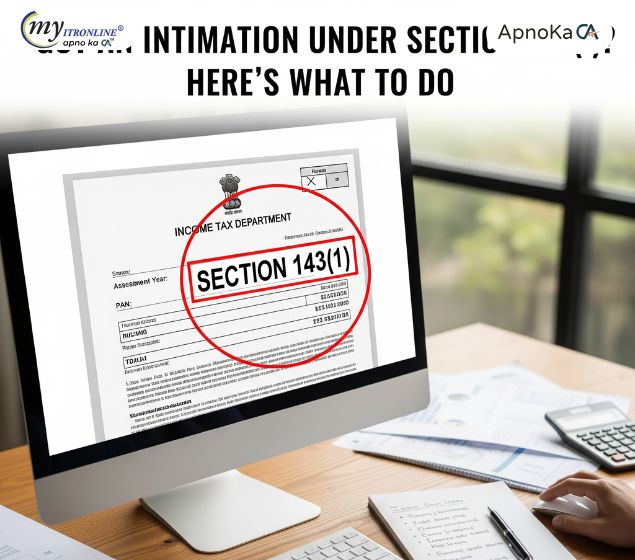
The Income Tax Department sends you a notice called an Intimation under Section 143(1) after they finish their initial, automated check of your tax return (ITR).
This intimation is their way of saying, "We've checked your numbers against our records." While a "No Demand, No Refund" notice is ideal, this intimation often points out discrepancies. If the notice asks you to pay more tax or cuts down your expected refund, you need to act. Your next step depends on whether the mistake was yours or the department's.
What the ITR Intimation Does
Think of the Section 143(1) intimation as a quick, computer-run comparison. The tax system compares your filed ITR data with other information it holds, such as your tax deducted at source (TDS), Annual Information Statement (AIS), and tax payments.
The automated process makes corrections for obvious issues like:
- Simple math errors.
- Claims you made that clearly go against the tax rules shown in your return.
- Losses you claimed that are disallowed because the return was filed late.
- Differences between the tax payments (TDS/TCS) you reported and what the department has on record.
The notice shows you two columns: "Your Numbers" and "The Department's Computed Numbers." The difference between the two tells you what needs fixing.
Choosing the Right Correction Tool
Once you see the difference, you must choose the correct way to inform the Income Tax Department of the correction.
| If the Mistake Is | What to File | Why You Use It |
|---|---|---|
| Yours (You forgot income, claimed a wrong deduction, etc.) | Revised Return | To completely replace and correct your original ITR. |
| The Department’s (A simple calculation error, or they missed your correct tax payment proof.) | Rectification Request | To ask them to correct an obvious mistake in their processing. |
Option 1: Filing a Revised Return
You must file a Revised Return if you realize you made a mistake or missed something important in your original ITR filing.
When to Use This:
- You didn't include some income (like bank interest or rent).
- You claimed a tax benefit (deduction/exemption) incorrectly.
- You want to change your choice of tax scheme (e.g., switching from the New to the Old scheme).
Important Rules:
- The revised return completely overrides your first filing.
- Your original return must have been filed before the final deadline.
- Deadline: You must file the revised return before the end of the financial year for which the return was filed (e.g., for ITR of FY 2023-24, the deadline is generally March 31, 2025) or before the department finishes its full assessment, whichever is sooner.
How to Do It Online:
- Log in to the Income Tax portal.
- Go to the section for e-Filing your ITR.
- Choose the Assessment Year and your ITR Form.
- Crucially, select "Revised Return" as the filing type.
- Enter the unique number (Acknowledgement Number) and date of your Original Return.
- Go through your return, make all necessary changes, and submit and verify the corrected ITR.
Option 2: Filing a Rectification Request
A Rectification Request is used to fix an obvious error in the department's processing of your return.
When to Use This:
- Math Mistake: The computer made an obvious calculation error.
- Missing Tax Credit: You have proof of a tax payment (TDS/TCS) that is visible in your Form 26AS/AIS, but the intimation failed to give you credit for it.
- Clerical Error: A simple typo was made by the processing center while noting your data.
How to Do It Online:
- Log in to the e-Filing portal.
- Go to the Services menu and select Rectification.
- Choose the Assessment Year and the specific notice (the 143(1) intimation) you want to fix.
- Select the type of correction needed, such as:
- Reprocess the Return (for minor processing issues).
- Tax Credit Mismatch Correction (if your TDS/TCS was ignored).
- Explain the error, upload any supporting documents (like proof of tax payment if needed), and submit the request.
A Key Limitation: You cannot use a Rectification Request to report new income, claim a new tax deduction, or make any significant change that relies on new facts. It is only for correcting errors that are clearly visible on the record.
The Bottom Line
Don't panic when you receive your ITR intimation. It’s simply a prompt to check your work. If you made the mistake, file a Revised Return quickly. If the department made the mistake, file a Rectification Request. Taking the correct, timely action will help you avoid paying unnecessary interest and prevent further complications.

FILING YOUR INCOME TAX RETURN F.Y 2024-25 (A.Y. 2025-2026) WITH MYITRONLINE
The income tax filing deadline is right around the corner. If you haven’t filed yet, do it today with Myitronline! Avoid last minute rush and file your tax return today on MYITRONLINE in Just 5 mins.(www.myitronline.com)
If you are looking for eCA assistance to file your income tax return/ GST, you can opt for MYITRONLINE eCA assisted plan starting
Upload Salary Individual Form-16
If you have any questions with filing your tax return, please reply to this mail. info@myitronline.com OR call 9971055886,8130309886.
Note-All the aforementioned information in the article is taken from authentic resources and has been published after moderation. Any change in the information other than fact must be believed as a human error. For queries mail us at marketing@myitronline.com

comming Soon

Krishna Gopal Varshney
An editor at apnokacaKrishna Gopal Varshney, Founder & CEO of Myitronline Global Services Private Limited at Delhi. A dedicated and tireless Expert Service Provider for the clients seeking tax filing assistance and all other essential requirements associated with Business/Professional establishment. Connect to us and let us give the Best Support to make you a Success. Visit our website for latest Business News and IT Updates.
Leave a reply
Your email address will not be published. Required fields are marked *Share this article
Krishna Gopal Varshney
An editor at Myitronline
Krishna Gopal Varshney, Founder & CEO of Myitronline Global Services Private Limited at Delhi. A dedicated and tireless Expert Service Provider for the clients seeking tax filing assistance and all other essential requirements associated with Business/Professional establishment. Connect to us and let us give the Best Support to make you a Success. Visit our website for latest Business News and IT Updates.
View articles

News Offers